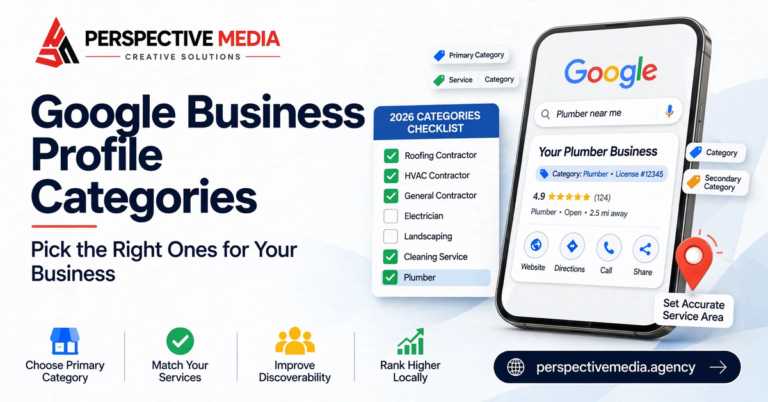

Search “plumber near me” on your phone right now. Before a single website appears, Google shows you three businesses with star ratings, review counts, photos, and a call button. That three-pack — the map pack — decides who gets the call and who gets ignored. And the lever that controls it isn’t your website. It’s your Google Business Profile.
Most contractors set their profile up once and forget it. That’s a mistake. Google Business Profile optimization is the highest-ROI local marketing work a contractor can do in 2026: it’s free, it directly controls map-pack visibility, and for service businesses it often generates more calls than the website itself. This checklist walks through everything that matters, in the order that matters.
Why Your Google Business Profile Is Your Most Valuable Digital Asset
Think about how your customers actually behave. A homeowner with a leaking water heater doesn’t research for a week. They search, they glance at the map pack, and they call the business that looks most trustworthy — usually within minutes. Your profile is doing the selling before anyone reaches your website: your rating, your review count, your photos, and your hours are all visible in the search results themselves.
Google has also been steadily expanding what profiles can do. You can list services with descriptions, publish updates, answer customer questions, showcase photos of completed work, and display attributes like “women-led” or “veteran-led.” Every field you leave empty is information a competitor is providing instead. Thorough Google Business Profile optimization compounds: complete profiles earn more engagement, and engagement reinforces visibility.
One honest caveat before we start: no checklist overcomes a suspended or fundamentally broken profile. If your listing has ever been suspended, or you’re unsure who owns it, fix ownership first — everything else is cosmetic until that’s resolved.
The 2026 Google Business Profile Optimization Checklist
1. Claim, Verify, and Secure Ownership
This sounds obvious, but a surprising number of contractor profiles are “managed” by a former employee, an old agency, or nobody at all. Search your business name, click “Own this business?” if it appears, and make sure the primary owner is someone inside your company — not a vendor. Use a business email on the account, enable two-factor authentication, and remove anyone who shouldn’t have access. Losing control of your profile during a dispute with an ex-employee is a nightmare you can prevent in ten minutes.
2. Get Your Primary Category Exactly Right
Your primary category is the single strongest relevance signal you control. “Plumber” outranks “Plumbing supply store” for plumbing searches, every time — and many businesses sit in a vague category like “Contractor” when a specific one exists. Google’s category list changes, so check it directly in your dashboard and pick the most specific category matching most of your revenue. If 70% of your work is drain cleaning, your primary category should reflect that reality, not your aspirations.
3. Add Every Relevant Secondary Category
Secondary categories don’t carry the weight of the primary, but they widen the searches you can appear for. A roofing company might add “Gutter cleaning service” and “Skylight contractor.” Don’t add categories for work you’d turn down — irrelevant categories dilute relevance and confuse customers. Five to eight honest secondaries is a healthy range for most trades.
4. Keep Your Business Name Clean
Your business name field should contain your actual business name — nothing else. Adding “Best Plumber Dallas | 24/7 Emergency” to the name field violates Google’s guidelines and is one of the most common reasons contractor profiles get suspended. It can feel like everyone’s doing it and getting away with it. Some are, temporarily. Suspensions arrive without warning and recovery takes weeks. Put keywords in your services and description instead, where they belong.
5. Fill Out Services and Products Completely
The services section is free keyword real estate that most contractors leave half-empty. List every service you offer, each with a one-to-two sentence description written the way a customer would describe the problem: “Water heater repair — we diagnose and fix tank and tankless units, usually same-day.” This is legitimate Google Business Profile optimization, not trickery: you’re helping Google match your business to real searches. Add products too if you sell equipment or maintenance plans.
6. Upload Photos Like It’s Your Shop Window
Profiles with photos earn noticeably more engagement — and for contractors, photos are proof of competence. Upload in this priority order: your team (real people, not stock), your vehicles and branding, before-and-after shots of completed work, your office or shop exterior, and interior shots if customers visit you. Add new photos monthly; fresh photos signal an active business. Geotagging tricks and keyword-stuffed filenames are myths — just upload genuine, high-quality images consistently.
7. Set Accurate Hours, Including Holiday Hours
Wrong hours are a silent conversion killer. A customer who drives to your shop on a Saturday you listed as open — and finds it closed — doesn’t just leave; they leave a one-star review. Set your regular hours precisely, add special hours for holidays well in advance, and if you offer 24/7 emergency service, make sure your profile reflects how customers actually reach you after hours.
8. Add the Attributes That Matter to Your Customers
Attributes are the small badges on your profile: “Identifies as women-led,” “Veteran-led,” “Online appointments,” “On-site services.” Customers filter and notice these more than you’d expect. Go through the full attributes list in your dashboard — there are often a dozen relevant ones contractors never bother to set.
9. Build a Review Engine, Not a Review Beg
Reviews deserve their own strategy (we cover review generation in depth separately), but the profile-optimization essentials are: ask every customer, make it easy with a short review link, and respond to every review within a few days. Your responses are public sales copy — future customers read them to judge how you handle problems. A thoughtful reply to a harsh review often impresses readers more than a dozen five-star ratings.
10. Publish Posts Weekly
Google Business Profile posts don’t directly boost rankings the way some claim, but they keep your profile looking alive and fill valuable screen space with offers, seasonal reminders, and completed projects. One post a week is plenty: a photo of a recent job with two sentences about it outperforms a generic “Call us today!” graphic every time.
11. Seed and Monitor the Q&A Section
Anyone can ask — and answer — questions on your profile, including competitors and confused customers. Proactively add the questions you hear on every sales call (“Do you offer free estimates?”, “Are you licensed and insured?”) and answer them yourself in your brand voice. Then check monthly; a wrong answer sitting unchallenged can cost you jobs.
12. Keep Your Information Consistent Everywhere
Your name, address, and phone number should match exactly across your website, social profiles, and directory listings. Inconsistencies confuse Google’s confidence in your business details. You don’t need 200 directories — your website, the major data aggregators, and the directories that rank in your market are enough. Consistency beats quantity.
Google Business Profile Optimization Mistakes That Get Contractors Suspended
The stakes are real: keyword-stuffed business names, fake suite numbers at co-working addresses, service-area businesses showing a home address, and duplicate listings are the four fastest routes to a suspension. If an “SEO expert” suggests any of these as shortcuts, they’re spending your business as their experiment budget. Legitimate Google Business Profile optimization is slower, but it doesn’t vanish overnight.
Your 30-Day Action Plan
Don’t attempt this in one afternoon. Here’s a realistic pace:
- Days 1–3: Secure ownership, fix your primary category, clean up the business name.
- Days 4–10: Complete services, products, hours, and attributes. Upload your first 20 photos.
- Days 11–20: Launch a simple review request routine — ask every customer, respond to everything.
- Days 21–30: Start weekly posts, seed your Q&A, and audit your citations for consistency.
After 30 days, maintenance is light: photos monthly, posts weekly, reviews ongoing, and a quarterly check that everything is still accurate. That’s it. The contractors who win the map pack aren’t doing anything exotic — they’re doing the basics consistently while everyone else sets and forgets.
The Bottom Line
Your Google Business Profile is the closest thing local search has to a free billboard on the busiest road in town. The businesses dominating your map pack aren’t smarter than you — their profiles are just more complete, more active, and more trusted.
If you’d like a professional eye on your profile — or help turning local search into a reliable source of jobs — get in touch with Perspective Media. We do this every day for businesses like yours.