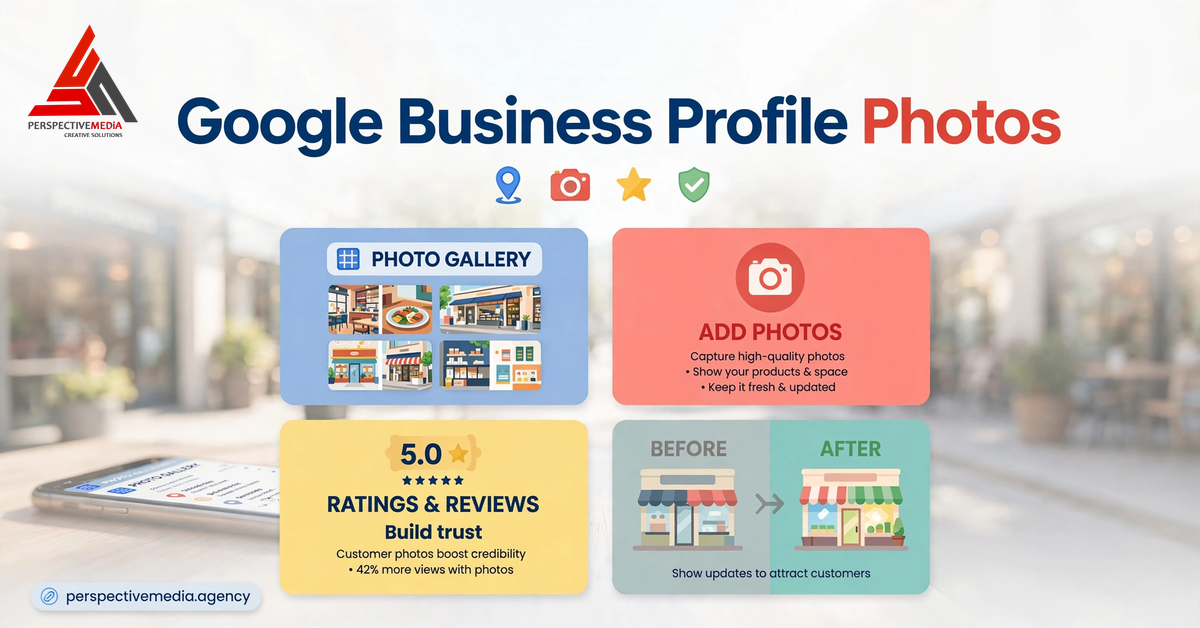
Most businesses treat Google Business Profile photos as decoration — a logo, maybe a stock image of a handshake, done. Meanwhile, Google treats photos as a ranking and conversion asset: businesses with photos see 42% more requests for directions and 35% more click-throughs to their websites than businesses without them. In the map pack, the profile with real, recent photos gets the tap. The profile with a blurry logo gets skipped.
This guide covers Google Business Profile photos in full: why they matter, the photo types that actually drive calls, how many you need, and a simple upload cadence that keeps your profile looking alive without becoming a second job.
Why Google Business Profile Photos Matter More Than You Think
Photos do two jobs on a business profile. First, they influence the click. In the map pack, searchers compare three businesses side by side. Photos are the single biggest visual differentiator — ratings are a number, but photos are evidence. A roofer with crisp before-and-after shots beats a roofer with no photos even when the ratings match.
Second, photos feed Google’s understanding of the business. Google’s photo uploader asks you to classify images by type — exterior, interior, product, at work, team — because those images confirm what the business does and looks like. Fresh, categorized photos corroborate your categories, services, and business description the same way reviews do. They also shape what customers expect: the profile photo set is effectively your storefront on the world’s most-used local search page.
The 6 Google Business Profile Photo Types That Drive Calls
Google suggests specific photo categories, and it’s worth filling every one that applies. Each type answers a different question a potential customer is asking.
1. Exterior photos
Show the building, the storefront, signage, and the parking situation. Exterior photos answer “will I find this place?” — they cut no-shows and “where are you located?” calls. Take them in daylight, include the full facade, and make sure signage is legible. If customers arrive by car, one wide shot that shows parking access pays for itself.
2. Interior photos
Show the space customers will walk into: the reception, the waiting area, the showroom floor. Interior shots answer “what’s it like inside?” and lower the anxiety of visiting somewhere new. Keep them current — nothing erodes trust faster than photos of a renovation you finished two years ago.
3. Team photos
Real faces. A posed team shot and a couple of candid working shots build more trust than any stock photo ever will. For service businesses where strangers come into customers’ homes — plumbers, electricians, HVAC — team photos are the difference between “a company” and “people I’d let through my front door.” Name key staff in captions where you can.
4. At-work and before-and-after photos
For trades and service businesses, this is the highest-converting photo type you own. A landscaper’s before-and-after, a detailer’s paint correction, a remodeler’s kitchen transformation — these photos demonstrate competence better than any written review. Shoot the “before” every single time, even when you forget; the pair is ten times more powerful than the “after” alone.
5. Product and service photos
Retailers should photograph actual products, not supplier renders. Service businesses should photograph the outcome of the service or the equipment used. These photos corroborate your Google Business Profile categories and service list — Google can see that a profile categorized as a bakery actually shows baked goods.
6. Identity and logo
Your logo belongs here and only here — as the identity photo, plus a cover photo if you want to feature one. Set a cover photo that represents the business at its best, but know that Google may display other photos alongside it or choose its own. Never rely on the cover photo as your only image.
How Many Google Business Profile Photos Is Enough?
More is better, but quality beats quantity, and there’s a floor. Aim for at least 10–15 high-quality photos covering every applicable category above. Profiles with fewer than five photos look abandoned in comparison to competitors carrying thirty.
That said, don’t bulk-upload fifty mediocre shots to hit a number. Google can remove blurry, low-quality, or rule-violating photos, and customers scroll past filler. The right sequence: cover the six categories with your best images first, then grow the “at work” and “before-and-after” sets over time — those are the photos that convert, and they’re also the ones you naturally produce in the course of doing jobs.
How Often to Upload New Google Business Profile Photos
Freshness signals that the business is active and open. A profile whose newest photo is three years old raises the same quiet suspicion as a business with no recent reviews. Here’s a cadence that works for most local businesses:
| Frequency | Action |
|---|---|
| Weekly | Upload 1–2 “at work” or before-and-after photos from recent jobs |
| Monthly | Review the full photo set; delete or replace anything outdated |
| Quarterly | Refresh exterior and team photos (seasonal changes, new staff, new signage) |
| After any change | New location look, new branding, new equipment — photograph it immediately |
Seasonal photos pull double duty: a Christmas-decorated storefront or a summer patio shot signals “we’re open and operating right now,” which is exactly what a searcher deciding between three listings wants to know. If you’re a service-area business without a storefront, the weekly at-work uploads are your entire freshness engine — your trucks, your team on site, your finished jobs.
Google Business Profile Photo Specs and Rules
Uploading the right images the wrong way wastes the effort. Google’s requirements are simple, but its removal policy is strict.
Technical specs
Google’s photo guidelines call for JPG or PNG files between 10 KB and 5 MB, with a recommended resolution of 720 × 720 px (250 px minimum). In practice, uploading larger — 1080 px or more on the long edge — keeps images sharp in the large photo carousel and survives Google’s compression. Shoot in landscape where possible; vertical photos crop awkwardly in several display surfaces. BrightLocal’s GBP photo guide is a solid reference for the upload flows across devices.
Content rules
Google’s photo and video guidelines prohibit stock photos, promotional graphics with overlaid text, and images that misrepresent the business. Common violations that get photos removed: price lists baked into images, before-and-after shots with heavy filters that misrepresent the work, and logos uploaded as every photo type. Customer-uploaded photos are fine and welcome — but review them. A blurry customer photo of your competitor’s truck parked outside doesn’t help you.
Photo Mistakes That Quietly Hurt Your Profile
Most profiles we audit have the same handful of problems. They take an hour to fix and the improvement is visible immediately.
- Only a logo. A profile with a single logo image tells customers nothing and triggers no engagement. It’s barely better than no photos.
- Stock photography. Searchers can smell stock photos, and so can Google. A smiling-model handshake photo on a plumber’s profile destroys credibility.
- Outdated photos. The old premises, the former partner’s face on the team page, the truck with the old branding. Every outdated photo is a small trust leak.
- No at-work evidence. For trades especially, skipping before-and-after photos means skipping the single most persuasive content type on the profile.
- Ignored customer photos. Customers upload photos to your profile whether you like it or not. Monitor them and add good ones to your featured set; report ones that violate policy.
- Text-heavy graphics. “20% OFF THIS MONTH” images get flagged, look spammy, and date instantly. Put offers in posts, not photos.
A Simple Monthly GBP Photo Routine
Don’t overthink this. Block thirty minutes a month and run this loop:
- Pull the 5–10 best job-site or in-store photos your team took this month. If nobody took any, make it a policy that they do.
- Upload the best 2–3 to the profile, categorized correctly (at work, team, interior — not all dumped as “general”).
- Check the newest customer-uploaded photos. Feature the good ones, flag policy violations.
- Delete anything outdated or low-quality from your own set.
- Glance at your top two competitors’ photo sets. If they added something compelling, match it.
That’s the whole system. Ten photos to start, two new ones a month, one cleanup session a quarter. Profiles that follow it look alive, rank better, and convert the comparison moment in the map pack. Run this routine alongside the full Google Business Profile optimization checklist and the photo gap closes for good.
Perspective Media runs local SEO programs for service businesses — GBP optimization, citation cleanup, review generation, and the content that feeds the map pack. If your profile is doing everything right except getting calls, talk to us about what’s actually missing.