
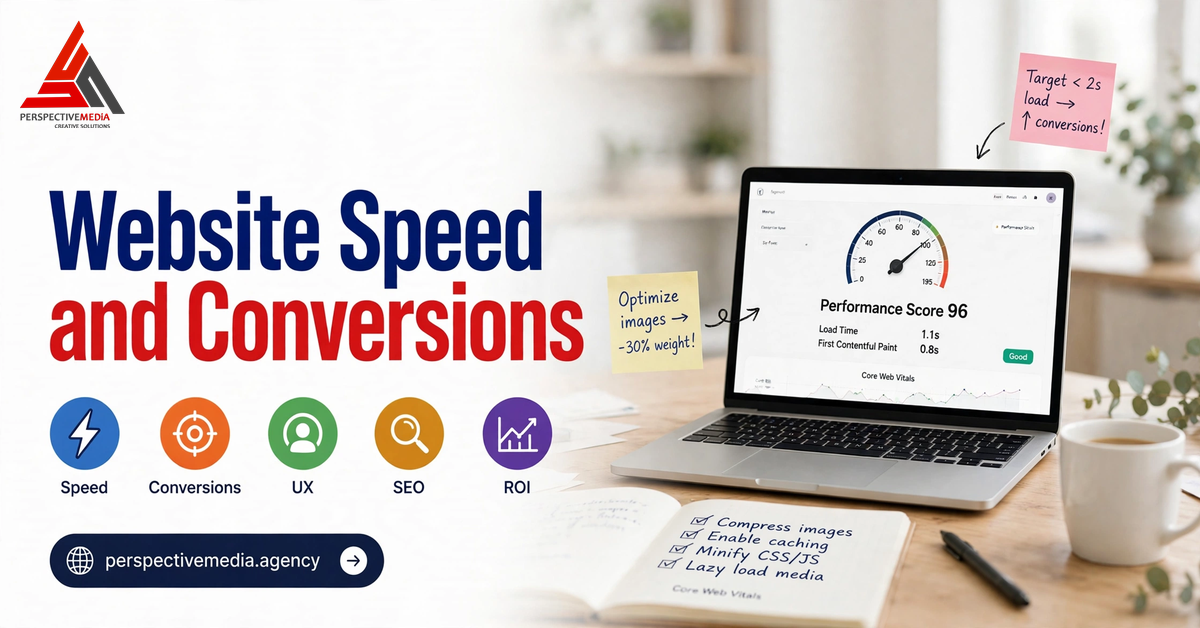
Every business owner knows a slow website is annoying. Fewer realise how directly it taxes revenue. The relationship between website speed and conversion rate is one of the most consistently measured effects in digital marketing: shave seconds off load time and more visitors turn into enquiries, bookings, and sales. Add seconds and the opposite happens — quietly, measurably, and without any angry feedback, because the visitors you lose simply leave.
This is not a developer’s hobbyhorse. For a service business or an ecommerce store, page speed sits at the exact point where marketing spend becomes revenue. You pay for the click, the visitor arrives, and then your website has roughly three seconds to prove it was worth the tap.
What the Research Says About Website Speed and Conversion Rate
The headline numbers are remarkably consistent across studies, platforms, and years.
Google’s own mobile research found that 53% of mobile site visits are abandoned if a page takes longer than three seconds to load — and that as page load time rises from one second to ten, the probability of a visitor bouncing increases by 123%. That is not a marginal effect; it is a cliff edge. A page that loads in two seconds and a page that loads in six seconds are not slightly different experiences. They are different businesses.
A Deloitte study conducted with Google added the commerce angle: improving load time by just 0.1 seconds lifted conversion rates by 8.4% for retail sites and 10.1% for travel sites. Fractions of a second, not redesigns, produced those gains. The pattern repeats in case study after case study: faster pages convert better, and the effect is largest on mobile, where connections are slower, patience is shorter, and most of your traffic now lives.
The mechanism is simple. Speed shapes first impressions before a single word is read. A slow page signals a careless business; a fast one signals competence. Every extra second is another chance to check a competitor or close the tab — and friction is the enemy of every conversion.
Why Slow Pages Cost More Than Lost Sales
The conversion hit is only the most visible cost. Slow speed quietly taxes everything around it too.
First, it wastes ad spend. If you run Google Ads or social campaigns, you pay per click regardless of what happens next. A landing page that bleeds half its visitors before it renders means half your ad budget buys bounces. Fixing speed is often the cheapest way to improve return on ad spend — cheaper than raising budgets or rebuilding creative — because it lifts the conversion rate of traffic you already paid for. Our guide to YouTube Ads for local businesses makes the same point from the campaign side: the landing page is half the ad.
Second, speed affects search visibility. Google’s Core Web Vitals are part of its page experience signals, and while they are not the dominant ranking factor, they break ties between otherwise comparable pages. A fast, stable page is easier for Google to crawl and more likely to satisfy the searcher. Speed work done for conversions therefore doubles as SEO work, especially when paired with a coherent semantic SEO strategy that makes the fast page worth finding in the first place.
The Three Metrics That Actually Matter
“Website speed” is vague. Google’s Core Web Vitals give it a precise shape, and they are the metrics worth tracking:
Largest Contentful Paint (LCP): how fast the main content appears
LCP measures how long it takes for the largest visible element — usually a hero image or headline block — to render. Google’s threshold for a good experience is 2.5 seconds. If your hero takes four seconds, visitors perceive the page as slow even if the rest of the page is technically fine.
Interaction to Next Paint (INP): how fast the page responds
INP measures responsiveness: when a visitor taps a button, opens a menu, or types in a form, how quickly does the page react? The good threshold is under 200 milliseconds. Pages drowned in JavaScript feel sluggish here, and a “Get a Quote” button that hesitates is a quote that never gets requested.
Cumulative Layout Shift (CLS): how stable the page is while loading
CLS measures visual stability, with a good score below 0.1. If text jumps down as an image loads, or a button shifts just as someone taps it, visitors misclick, lose their place, and lose trust. Layout shift is the most underestimated conversion killer of the three, because it strikes at the exact moment of intent.
Google’s own Core Web Vitals documentation sets these thresholds, and its Web Vitals guide explains how each metric is measured. Aim to pass all three for at least 75% of real visits, measured separately for mobile and desktop — mobile is where most businesses fail, and where most customers are.
Where Speed Is Usually Lost
When we audit slow sites, the culprits are almost always the same handful:
Unoptimised images. The single most common cause. Full-resolution photos uploaded straight from a camera, hero images several megabytes in size, and no modern formats. Images often account for more than half of a page’s weight.
Render-blocking JavaScript and CSS. Scripts and stylesheets that must load before anything appears. Every chat widget, tracking pixel, and marketing tag adds to this queue — and most sites accumulate tags nobody remembers installing.
Slow server response. Cheap shared hosting, a distant server, or an uncached database query can add a full second before a single pixel renders. No front-end trickery can fix a slow server.
Third-party scripts. Review widgets, booking embeds, and social feeds each make their own network calls. Individually harmless, collectively they can add seconds — and they often load before your own content.
The Fixes With the Best ROI
Not all speed work is equal. In order of typical return:
1. Compress and resize images
Serve images at the size they are displayed, in modern formats like WebP or AVIF, and lazy-load anything below the fold. This one fix alone often cuts page weight in half and is the highest-ROI change for most sites.
2. Cache aggressively and use a CDN
Browser caching means repeat visitors barely download anything. A content delivery network serves static files from a server near the visitor, which matters enormously for businesses with customers spread across regions.
3. Defer non-critical JavaScript
Load what the visitor needs first, and defer the rest. Chat widgets, analytics, and marketing tags rarely need to block the first paint — yet by default, they often do.
4. Audit third-party tags
List every script your site loads and ask what each one earns. Removing two or three forgotten tags routinely recovers more speed than weeks of micro-optimisation elsewhere.
5. Fix the hosting layer
If server response time exceeds 600 milliseconds, upgrade hosting and enable server-side caching before touching anything else. This is foundational work, and it is exactly the kind of decision made during a proper web development engagement rather than as an afterthought.
6. Tame fonts and layout shift
Use a single font family with two weights, reserve space for images and embeds so content never jumps, and predefine dimensions for every media element. CLS fixes are usually quick and their conversion effect is immediate.
How to Measure Before You Spend
Never optimise blind. Start with three free tools: PageSpeed Insights, for lab and field scores plus a prioritised fix list; Google Search Console’s Core Web Vitals report, which shows how real visitors experience your whole site; and your analytics funnel, which reveals the conversion gap between fast and slow pages. That gap is your business case. Re-measure after each change, one change at a time — unmeasured speed work tends to drift back as new plugins and tags creep in.
A 30-Minute Speed Audit You Can Do Today
- Run your homepage and top three landing pages through PageSpeed Insights on mobile.
- Note LCP, INP, and CLS against the thresholds above.
- List the five heaviest resources on each page and the third-party scripts loading before first paint.
- Compress the hero image on each page and re-test.
- Remove or defer one tag you cannot justify.
That half hour usually finds the single biggest leak. The rest is engineering, and it pays for itself in recovered conversions.
Website Speed and Conversion Rate: The Bottom Line
Website speed and conversion rate move together, and the data leaves little room for debate: pages that load in under three seconds keep visitors, pages that drag lose them, and fractions of a second are worth real money. The work is unglamorous — image compression, tag audits, caching — but it compounds across every channel you run, because every visitor, from every source, passes through the same loading screen.
If you would like your site’s speed measured against these benchmarks and the biggest leaks ranked by conversion impact, discuss your project with our web development team — the audit is where every good rebuild starts.