
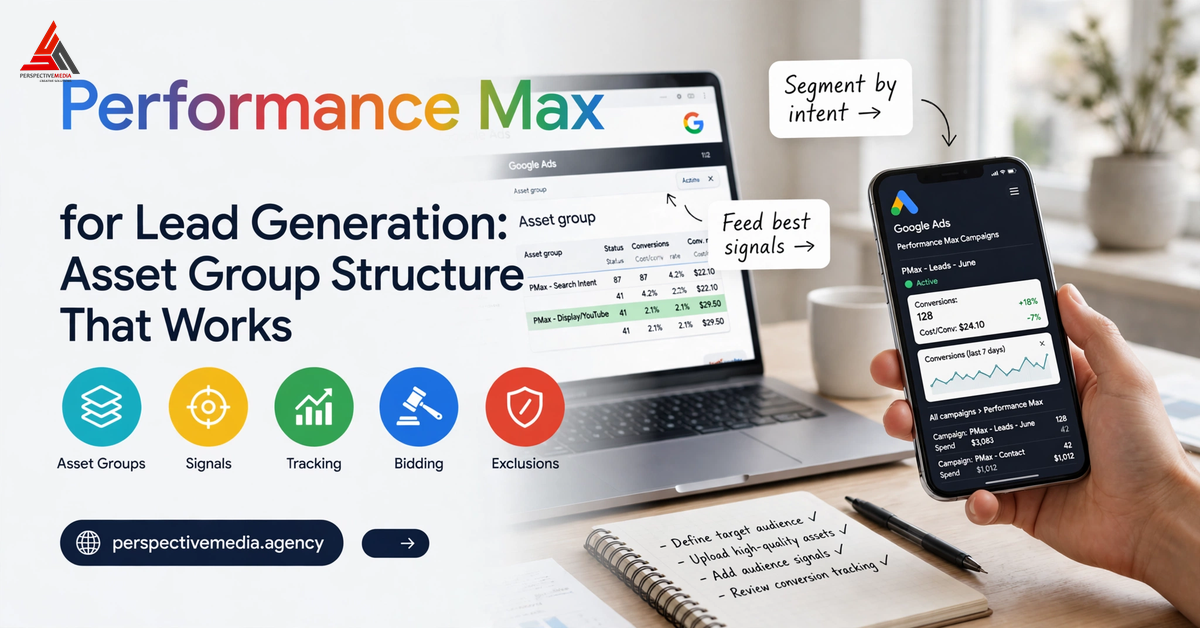
Performance Max for lead generation is one of the most misunderstood campaign types in Google Ads. Hand it one broad asset group and vague conversion goals, and it will spend your budget on the easiest “leads” it can find: price shoppers, job seekers, accidental form fills. Structure it deliberately — segmented asset groups, tight audience signals, bulletproof conversion tracking, real guardrails — and PMax becomes a genuine lead machine across Search, YouTube, Display, Discover, Gmail and Maps.
Here is the asset group structure that separates PMax campaigns producing qualified leads from the ones burning budget on junk clicks.
Why Most PMax Campaigns Produce Junk Clicks
PMax optimises relentlessly toward whatever you define as a conversion. If “lead” means any form submit, Google finds you thousands at a marvellous CPA — and your sales team discovers none of them can buy.
Three structural mistakes cause most of the damage: one asset group for everything (the AI cannot tell a high-value buyer from a browser), weak conversion definitions (every form submit counted equally), and no guardrails (brand terms and irrelevant queries teaching the learning period the wrong lessons).
Unlike keyword-based Search, you cannot see every query or placement in PMax, so the structure you build up front does the targeting work.
Performance Max for Lead Generation: Why Asset Groups Are the Control Layer
An asset group is a collection of creatives — headlines, descriptions, images, logos, videos and a final URL — centred on a theme or target audience. Google AI mixes and matches these assets across all inventory, and you can run multiple asset groups per campaign, each with different themes, final URLs and audience signals. Google’s own Performance Max overview confirms this is how the system is meant to be built.
For lead gen, take that advice literally: each asset group should represent one distinct proposition — one service, one landing page, one intent level. That keeps creative and landing page tightly relevant (lifting ad strength and conversion rates), lets you attach different audience signals per proposition, and makes performance readable: the asset report shows which proposition drives qualified leads and which produces junk.
For Performance Max lead gen, asset group segmentation is not admin. It is the targeting system.
How to Segment Asset Groups for Lead Quality
Segment by Offer or Service Line
One asset group per core service, each with its own landing page. A law firm should run three asset groups — family law, corporate, personal injury — each with bespoke headlines, imagery and final URL. Ads read more relevantly, landing pages convert better, and the algorithm learns what a good lead looks like for each offer.
Segment by Buyer Intent
Split by decision-journey stage. High-intent offers (“free consultation”, “get a quote”) get their own asset group with conversion-focused creative and tighter signals. Awareness content (guides, webinars) goes in a separate group with a different conversion action and lower bid target.
Use Feed-Only Asset Groups Where They Fit
With a product or services feed attached, a listing group inside the asset group decides which feed items the campaign promotes. For multi-location clinics, course providers or property firms, feed-driven asset groups let PMax match queries to the right offer at a scale no manual structure can match.
Audience Signals That Guide Performance Max for Lead Generation
Audience signals do not restrict who sees your ads — they guide the AI during learning, accelerating it toward people who look like your best customers. For Performance Max for lead generation, signals are one of the strongest quality levers you have.
Start With First-Party Data
Upload customer lists as data segments: past converters, closed-won customers, high-value clients. Then import qualified leads and closed revenue back via offline conversion imports, so the model learns to value pipeline and revenue — not raw form fills.
Add Search Themes
Search themes carry the same priority as phrase and broad match keywords, and they are your main way to steer PMax toward high-value intent. Add the queries your best leads type — “commercial solar installer london”, not “solar energy”.
Layer Intent Audiences
Add custom segments built from competitor URLs and high-intent terms, plus relevant in-market audiences, as signals on each asset group. These are starting points, not fences — PMax expands beyond them as it learns, which is exactly why your conversion data matters more than restrictive signals.
Conversion Tracking: The Non-Negotiable Foundation
No asset group structure saves a PMax campaign with shallow tracking:
- Enhanced conversions — hashed first-party data recovers otherwise-lost attribution.
- Primary vs secondary conversions — your primary action must be the qualified lead event; page views and downloads stay secondary. Our conversion tracking setup guide covers the GTM and GA4 implementation.
- Offline conversion imports — push qualified-lead and closed-won data back. The highest-impact move for lead quality: the algorithm optimises for buyers, not form-fillers.
- Value-based bidding — with conversion values in place, move from tCPA to maximise conversion value with a tROAS target. tCPA optimises for cheap leads; tROAS optimises for valuable ones.
Guardrails That Protect Lead Quality
- Brand exclusions — keep branded searches in dedicated Search campaigns. Letting PMax soak up brand demand teaches it nothing about new customers.
- Account-level negative keywords — block jobs, careers, free, DIY, login and competitor support terms at account level; keep expanding from search term insights.
- Final URL expansion — when on, Google can replace your final URL and auto-generate headlines. Leave it on only with a tightly structured site; otherwise switch it off.
- Location settings — target people in your service areas, not merely interested in them.
Pair these with exact-match Search campaigns for your highest-intent keywords. Google’s newer AI Max for Search campaigns can extend Search coverage without handing full control to PMax.
Reading the Signals: Asset Reporting and Performance Planner
The asset report is your diagnostic dashboard: it lists every asset in your PMax campaign and lets you compare performance across them, as Google’s guide to how asset groups work explains. You see which headlines, images and videos associate with real leads — and which creative attracts clicks that never convert.
The insights page goes deeper: search themes performance, audience insights and surfaced search-term insights show the demand the campaign actually captures. Junk usually shows here first — irrelevant themes, misaligned audiences, creative that over-promises versus the landing page.
Before scaling, use Performance Planner to forecast budget changes. PMax needs stable budgets to exit learning cleanly; yo-yoing spend resets learning and invites the algorithm to chase cheap, low-quality conversions.
Frequently Asked Questions
How many asset groups should a lead-gen PMax campaign have?
One per core service or offer, each with its own landing page — typically two to five. Fewer loses differentiation; many more fragments the conversion data the AI needs.
Should I use tCPA or maximise conversions for Performance Max lead generation?
Start with maximise conversions (no target) until you have 30+ conversions in 30 days, then add a tCPA target. With offline qualified-lead or revenue imports, graduate to maximise conversion value with tROAS — it optimises for lead quality and revenue, not cheap form fills.
Why is my Performance Max campaign generating unqualified leads?
Almost always one of four causes: the primary conversion counts low-intent events, asset groups mix offers and intents, audience signals are too broad or lack first-party data, or there are no negative keywords and brand exclusions. Audit in that order — no structure fixes bad measurement.
Do audience signals restrict who can see my ads?
No. Signals guide the AI’s learning but do not limit delivery — Google expands beyond them to find converters. Treat them as a starting point that shortens learning, not as targeting fences. Strong conversion data matters more than restrictive signals.
Can Performance Max and Search campaigns run together?
Yes — and for lead gen they should. Run exact-match Search for your highest-intent keywords (Search takes priority over PMax on exact matches) and let PMax discover incremental demand elsewhere; see our Search Ads vs Performance Max comparison for how the two work side by side. Exclude core Search keywords in PMax where overlap would waste spend.
Get Your PMax Campaigns Producing Qualified Leads
PMax rewards advertisers who give it structure: segmented asset groups, first-party audience signals, rigorous tracking with offline imports, and firm guardrails on brand, negatives and landing pages. Get those right and PMax stops being a black box that spends budget — and starts being the most efficient lead engine in your Google Ads account.
At Perspective Media, Google Ads is one of our core services — we build and manage PMax campaigns for lead-generation businesses that need pipeline, not vanity metrics. If your campaigns are producing leads your sales team cannot close, talk to our Google Ads team about an audit of your structure, tracking and bidding setup.