
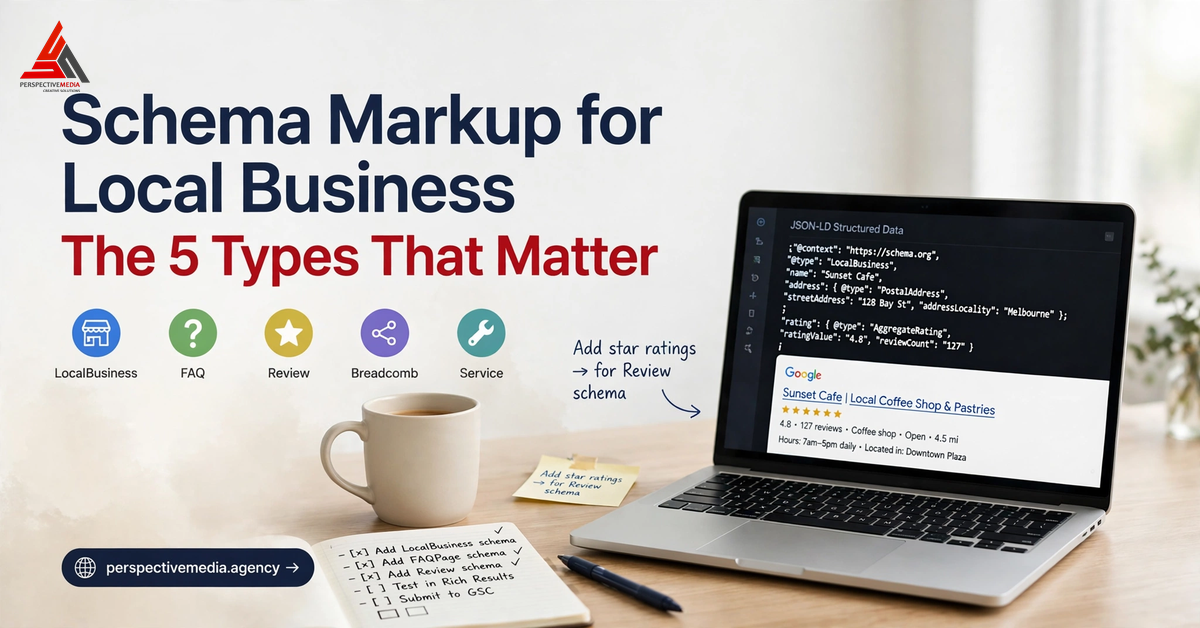
Schema markup for local business is a small piece of code that tells Google exactly what your business is, where it is, and what it does. Your customers never see it. Google does, and it uses that information to decide how your business appears in search results, in the map pack, and in AI generated answers. Most local businesses have no schema at all, or a broken version a plugin added years ago and nobody checked since. This guide explains the five types that matter, and how to add them without hiring a developer.
Schema Markup for Local Business: What It Actually Is
Schema markup is a shared vocabulary for describing things on a web page. It was created by the search engines themselves, and the full vocabulary lives at Schema.org. When you add schema to a page, you label the facts that are already there: this is our business name, this is our address, this is our phone number, these are our opening hours, this is the service we offer.
Google reads those labels and uses them to build a clearer picture of your business. Without them, Google has to guess from your page text. It usually guesses well, but guessing is not the same as knowing. A page that states its facts in schema gives Google confidence.
The code is written in a format called JSON-LD. It sits in the page code, it does not change how the page looks, and it takes minutes to add once you know which fields matter. You do not need to learn to code. You need to know which five types to use and which details to fill in.
Why Schema Markup Matters for Local Search
Local search is a contest of trust. When someone searches for a plumber near them, Google has seconds to decide which businesses to show. It weighs relevance, distance, and prominence, and schema feeds directly into relevance and prominence. A business that clearly declares its services, area, and hours is easier to match to the search than one that leaves Google to work it out from scattered text.
Schema also unlocks rich results: enhanced listings with star ratings, FAQs, and opening hours shown right on the results page. A standard blue link competes on title alone. A rich result competes on information and takes up more space, so businesses with review stars get clicked more often, even when they are not in the top position.
There is a third reason, and it is growing fast. AI search tools and AI Overviews pull facts from pages they can understand quickly. Our guide to entity SEO explains how Google now thinks in entities, real world things with clear attributes, rather than just strings of text. Schema hands Google those attributes in a format it cannot misread, so a business with clean LocalBusiness schema is easier for an AI answer to cite.
The 5 Types of Schema Markup That Matter Most
You could mark up dozens of things on a local business website. In practice, five types cover almost all of the value.
1. LocalBusiness
This is the foundation. LocalBusiness schema states the facts Google needs to place you: name, address, phone number, website, opening hours, and the area you serve. It also lets you specify your business type, such as Plumber, Dentist, or Restaurant.
The single most important rule is consistency. The name, address, and phone number in your schema must match your Google Business Profile exactly, and match what appears on your website and in your citations. If your schema says one phone number and your profile says another, you have created a conflict, and conflicts cost you trust. Our Google Business Profile checklist covers the profile side, and schema is the website side of the same job.
Add your service area too. A business that serves a whole city should say so, and one that serves specific towns should list them. This helps Google show you for searches in the places you actually work.
2. FAQPage
FAQPage schema turns the questions on your page into expandable answers directly in the search results. If a customer asks how much a boiler service costs and your page answers it, FAQ schema can put that answer on the results page itself, with your business attached. Only mark up questions that are genuinely answered on the page, and keep each answer short and direct. Do not invent questions nobody asks. Two to five real questions per page is plenty. Google’s own guidance on local business structured data is the reference to check when you are unsure whether a field is supported.
3. Review and AggregateRating
Review schema lets Google show your star rating next to your listing. A 4.8 star rating with 63 reviews, shown right under your page title, changes how a searcher compares you with a competitor who has no stars at all.
There is a catch. Google only allows review markup for reviews collected on your own site, and it forbids marking up reviews from Google or Trustpilot on your own pages. Mark up genuine customer reviews on your service pages, keep them honest, and never fabricate a rating. A fake 5.0 will be caught, and the penalty is losing rich results entirely.
4. BreadcrumbList
BreadcrumbList schema describes the path to a page: Home, then Services, then Boiler Repair. It is small, it is boring, and it is worth doing. Google often replaces the plain URL in a listing with a breadcrumb trail, which tells the searcher where the page sits on your site and makes the result look more trustworthy.
Most SEO plugins add breadcrumb schema automatically. Check that yours does, and check that the trail matches the real navigation. A breadcrumb that points to a page that no longer exists is worse than no breadcrumb at all.
5. Service
Service schema describes what you actually sell. A plumber can mark up boiler installation, emergency call outs, and annual servicing as separate services, each with its own description and price range. Customers rarely search for a business. They search for a service, and the business that has described that service in schema is easier to match.
Keep each service specific. “Plumbing” is too vague to help. “Emergency boiler repair in Manchester” tells Google what the page is for and who it is for. Pair the schema with a real page for that service, because schema on a page that does not cover the service in its visible text will be ignored.
How to Add Schema Markup for Local Business Without a Developer
You have three realistic options, and the right one depends on your website.
Use your SEO plugin. If your site runs on WordPress, RankMath and Yoast both generate LocalBusiness and breadcrumb schema automatically from the settings you fill in. Enter your business details once, check the business type matches what you actually do, then test a page with Google’s Rich Results Test to see what Google detects.
Use a schema generator. Free generators let you fill in a form and copy the JSON-LD code it produces. Paste that code into the page using your theme’s custom code field or a snippet plugin. This is the best option for a small site that needs FAQ or Service schema on a handful of pages.
Ask your developer for one hour. If your site is custom built, have a developer add the schema to your page templates once, so every service and location page gets it automatically. One hour of developer time covers most small sites.
Whichever route you take, test every page after you add schema. The Rich Results Test shows errors and warnings for each page. Fix the errors and retest. Schema that throws errors is no better than no schema at all.
Mistakes That Waste Your Effort
Most schema problems come from the same few errors.
Marking up content that is not on the page. Every fact in your schema must also appear in the visible text of the page. If your schema claims 24 hour opening but the page says 9 to 5, Google will disregard the schema and trust the page.
Copying the same schema to every page. Your homepage schema should describe the business. A service page should describe that service. Pasting one block of code across the whole site tells Google nothing new and confuses it about which page is for what.
Forgetting to update it. Businesses move, change numbers, and adjust hours. A stale phone number in schema is a customer calling a dead line. Review it every quarter, or every time a business detail changes.
Chasing every schema type at once. There are hundreds of types in the vocabulary. A local business needs five. Get those five right on your most important pages before you spend time on anything exotic.
Using the wrong business type. Schema.org has hundreds of specific business types, from Bakery to Electrician. Pick the most specific one that fits. A generic LocalBusiness type tells Google far less than the exact trade you work in.
Frequently Asked Questions
Does schema markup improve rankings directly?
Not directly. Google has said schema is not a ranking factor on its own. It helps indirectly: richer listings get more clicks, and clearer facts help Google match you to the right searches. Treat it as a visibility tool, not a ranking trick.
How long does it take for rich results to appear?
Usually days to a few weeks after Google recrawls the page. Add the schema, test it, then request indexing in Search Console for your most important pages. If nothing appears after a month, an error you missed is the most common cause.
Can I add schema to a website I did not build?
Yes. WordPress plugins and schema generators work on any WordPress site regardless of who built it. For custom sites, you need access to the page templates or a tag manager.
Is schema markup worth it for a very small business?
Yes, and arguably more so. A small business cannot outspend larger competitors on ads or content, but schema costs nothing, and a one person trade business with review stars looks as credible in the results as a national chain.
Schema markup is not complicated, and it is not a one off project. Set up the five types, test them, and keep the details current. If you want help getting the technical side right, our local SEO services cover schema as part of a full local visibility setup. If you would rather do it yourself, start with your homepage today. It takes less than an hour.